AI · Nov 10, 2026
Gemini 4 Carbon opens to developers at Argon’s price until November 30, then doublesGemini comes to budget Android phones, and that is a bigger deal than it sounds
· Updated · Signal Desk newsroom
Analysis of reporting by Google AI Blog. How we work
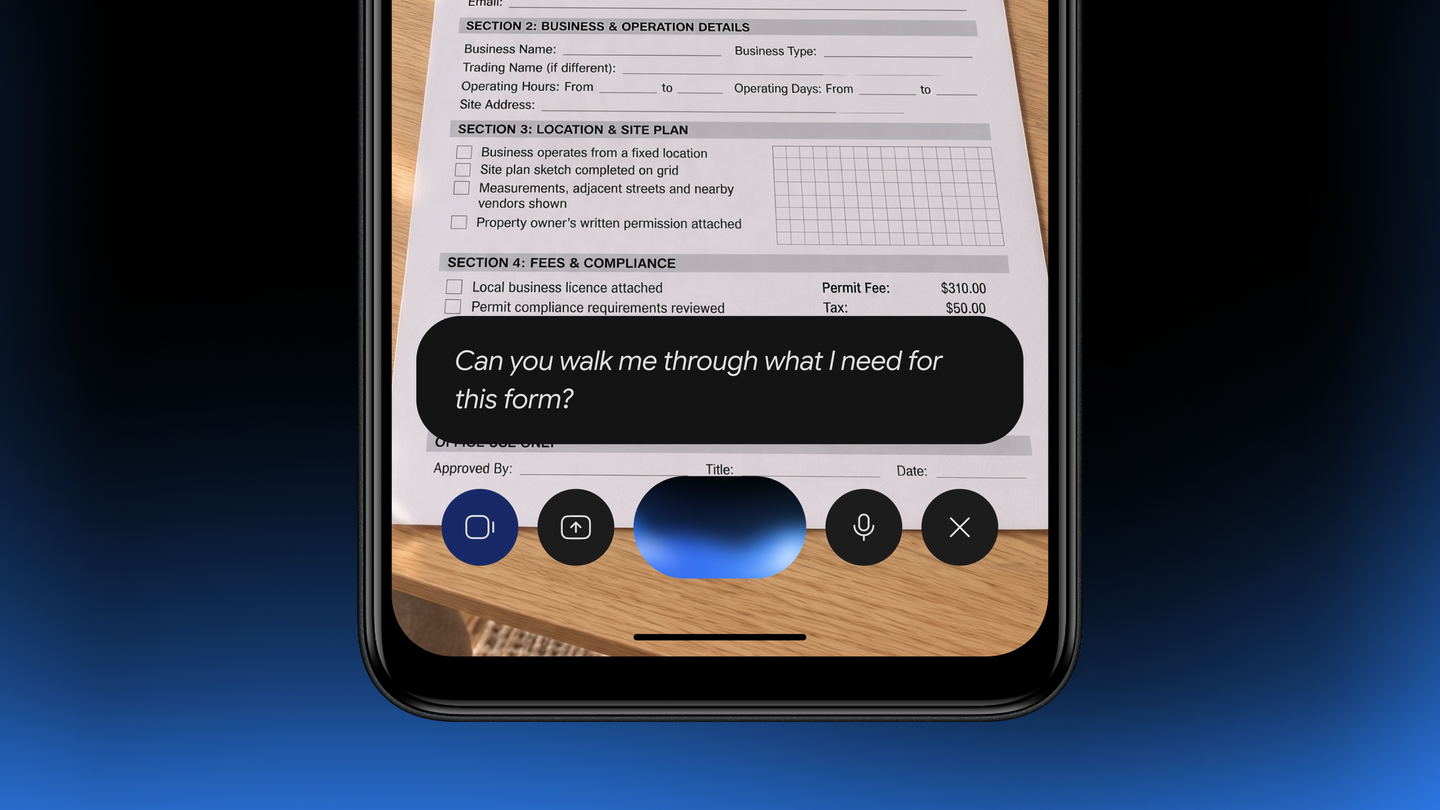
Google re-architected its Gemini app to run on Android Go devices, bringing voice, camera and image tools to phones that previously had only basic commands. Reach matters, but so do data, defaults and preloads.
Key takeaways
- The Gemini app now runs on eligible Android (Go edition) devices, which Google says serve hundreds of millions of people.
- Google re-architected the app so the core experience works on lower-memory hardware.
- Gemini Live supports spoken conversation in more than 45 languages; users can also point the camera at notes or forms and generate images with Nano Banana.
- Access is via Google Play, a long press of the power button on supported phones, or preloads on upcoming devices from partners such as Transsion.
- Google did not detail which features are trimmed, how much processing runs in the cloud, or data costs for users.
AI for the phones most people actually use
Much AI coverage centers on flagship phones and premium subscriptions. Google's announcement goes the other way. The Gemini app now runs on eligible Android (Go edition) devices, the lower-memory phones that Google says are the everyday connection to the internet, education and business for hundreds of millions of people. Until now, according to Google, hardware limits meant those phones only had basic voice commands.
Google says it re-architected the app so the core Gemini experience runs smoothly on hardware with less memory. We do not know from the announcement exactly what changed under the hood or what, if anything, was removed. But the direction is clear, and it is one of the more consequential distribution moves in consumer AI this year.
What users get
The features Google highlights are well chosen for this audience. Gemini Live lets people talk through problems or practice for an interview out loud in more than 45 languages, which matters for users more comfortable speaking than typing long prompts. The camera can read notes or forms to help users learn and translate, a practical tool for paperwork in a second language. Nano Banana image generation can create something like a flyer for a weekend bakery sale, the kind of small-business task that used to need a computer.
Getting it is designed to be frictionless: download from Google Play, press and hold the power button on supported phones, or find it preloaded on upcoming devices from partners such as Transsion. Preloads and the power-button shortcut are the important part. Defaults decide what billions of people use, and Google is making Gemini the default assistant on the cheapest Android phones as well as the most expensive. It is the same assistant we have seen grow into Guided Vision for reading fine print on higher-end devices.
The questions the announcement skips
Our enthusiasm for broader access comes with three caveats. First, if low-memory phones lean on the cloud for much of the heavy lifting, as seems likely, then mobile data costs and connectivity matter, and those are real constraints for many of the people Google is targeting. The announcement does not address either. Second, an assistant that can see forms and hear conversations collects sensitive information, and users on budget devices are often the least likely to dig through privacy settings. The industry debate about assistants reading screens is live, as Signal's move to block Gemini and Siri shows.
Third, preloading creates lock-in at the low end of the market, where users rarely change defaults. That is good business for Google and may be good for users if the product is useful, but it narrows room for competitors. None of this undercuts the core point: if AI assistants are going to be broadly useful, they have to work on inexpensive hardware, and this is a serious step toward that. More on the broader lineup sits in our Google coverage.
Who feels it
- Budget phone users
- Voice, camera and image tools arrive on devices that had only basic commands.
- Small businesses in emerging markets
- Simple design, translation and form help move onto a phone they already own.
- Phone makers
- Preloads from partners like Transsion make Gemini a default at the low end.
- Rival assistants
- Google's distribution advantage widens in markets where competitors have little presence.
What to watch
- Which Gemini features are limited or missing on Android Go compared with flagship phones.
- How much mobile data typical Gemini Live sessions consume on these devices.
- Which other phone makers preload Gemini on low-cost models.
- Usage data from Google on adoption in emerging markets.
FAQ
Can I use Gemini on an Android Go phone?
Yes, on eligible Android (Go edition) devices. Google re-architected the app to run on lower-memory hardware.
What Gemini features are available on lower-memory devices?
Google highlights Gemini Live in more than 45 languages, camera help with notes and forms, and image creation with Nano Banana.
How do I get Gemini on a budget Android phone?
Download it from Google Play, press and hold the power button on supported phones, or look for it preloaded on upcoming devices from partners such as Transsion.
Companies: Google
More on Google
AI · Nov 10, 2026
Gemini for healthcare targets prior authorization, the paperwork where patients have the most at stakeAI · Oct 28, 2026
Gemini 4 Carbon tops Google’s cyber benchmarks, which is why its rollout starts with defendersAI · Nov 12, 2026
ChatGPT, Gemini and Perplexity sent shoppers to fake stores in a 6,795-answer testAI · Oct 30, 2026
A single robots.txt line to block AI training: what the OpenAI-Google-Microsoft-Anthropic pledge does and doesn’t fix